
How to Use AI for Food Photography: Complete Beginner's Guide
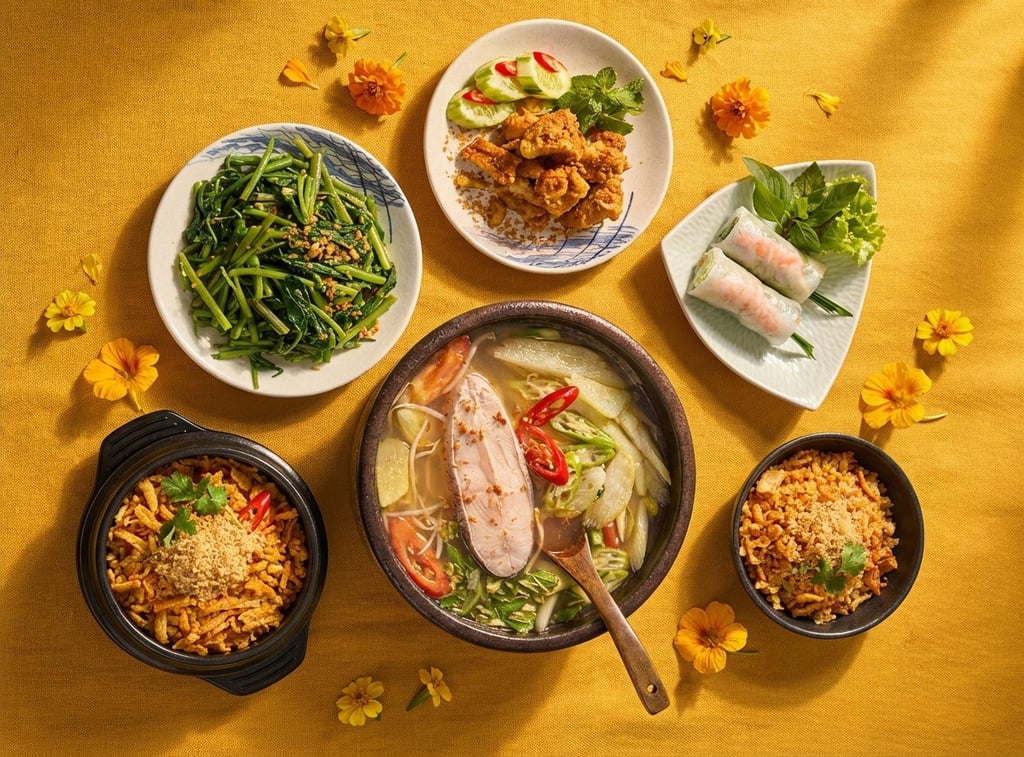
Food photography has evolved dramatically with artificial intelligence. Whether you're a food blogger, restaurant owner, or social media enthusiast, AI for food photography can transform your smartphone shots into professional-quality images that make mouths water. This comprehensive guide will walk you through everything you need to know about using AI to enhance your food photos, from basic techniques to advanced styling tips.
Why Use AI for Food Photography?
Traditional food photography requires expensive equipment, professional lighting setups, and extensive post-processing skills. AI for food photography democratizes this process, allowing anyone to create stunning images with just their smartphone and the right tools.
Here's what AI can do for your food photos:
Enhance lighting and color accuracy automatically
Add professional food styling elements
Improve composition and plating presentation
Transform casual snapshots into magazine-worthy images
Save hours of manual editing time
Best AI Tools for Food Photography
Content Kitchen: The Professional Choice
Content Kitchen stands out as the premier AI photo styling tool specifically designed for food photography. Unlike general-purpose AI tools, Content Kitchen creates super realistic photography by using the best AI models and optimizing workflows specifically for food imagery.
The best part? You get 5 free generations to try the platform and see the professional results for yourself.
What makes Content Kitchen superior for food photography?
Purpose-built technology: Designed exclusively for food imagery, ensuring realistic textures, colors, and styling
Optimized workflow: Streamlined process that understands food photography best practices
Advanced AI models: Uses cutting-edge technology specifically trained on food photography
Consistent results: Delivers professional-quality output every time
Other AI Food Photo Tools
While other tools exist in the market, they require significantly more manual input to achieve decent results:
Midjourney: A powerful general-purpose AI image generator that can create AI food photos. However, you need to manually input detailed prompts, adjust settings, and often go through multiple iterations to get food-specific results. It lacks the specialized optimization for food photography that Content Kitchen provides.
Nano Banana: Another AI tool that can work with food images, but similarly requires extensive manual prompt engineering and parameter tweaking. Without food-specific training, results can look artificial or miss the subtle details that make food photography appealing.
The key difference: while these general tools can produce results, Content Kitchen eliminates the guesswork with its food-focused approach, saving you time and delivering consistently realistic imagery.
Step-by-Step Tutorial: Transforming Your Food Photos with AI
Follow this comprehensive guide to achieve professional results with AI food styling:
Step 1: Take Your Initial Photo with Consistent Angle
Before uploading to any AI tool, your source photo matters. Here's the crucial rule: keep the same angle for the shot you give to AI.
Choose your preferred angle (overhead, 45-degree, or straight-on)
Keep your camera steady and level
Use a tripod or stable surface if possible
Take multiple shots from the exact same position
Pro Tip: The AI works best when it can understand the spatial relationships in your image. Maintaining a consistent angle helps the AI accurately enhance and style your food without distortion.
Step 2: Control Your Lighting
One of the most important factors for successful AI enhancement is to try to keep the same light across your shots. Consistent lighting helps the AI understand the scene better and produce more realistic results.
Use natural window light when possible
Avoid harsh overhead lighting that creates strong shadows
If using artificial light, maintain the same setup for all photos
Shoot during the same time of day if working with natural light
Avoid mixed lighting sources (don't combine warm and cool lights)
Step 3: Do Several Attempts
AI food photo generation isn't always perfect on the first try. The key to success is iteration: do several attempts with slight variations.
Generate at least 3-5 versions of each image
Slightly adjust your prompt between attempts
Try different styling suggestions
Compare results to identify what works best
Save your favorite versions for comparison
With Content Kitchen's 5 free generations, you can experiment with different approaches to find your perfect style.
Step 4: Upload Props for Food Styling Separately
For maximum control over your AI food styling, here's an advanced technique: upload props for food styling separately.
Instead of trying to add everything in one shot, work in layers:
Start with your base food photograph
Upload reference images of props you want to include (napkins, utensils, herbs, garnishes)
Let the AI integrate these elements naturally into the scene
Adjust placement through additional generations
Why this works: Separating props gives the AI clearer instructions about what elements to include and how to style them, resulting in more controlled and professional-looking compositions.
Step 5: Write Detailed Text Prompts for Specific Results
When you want something specific, the golden rule is: if you do something specific, write a detailed text prompt.
Generic prompts produce generic results. Detailed prompts create exactly what you envision. Here's how to write effective prompts:
Instead of: "Make this look better"
Write: "Enhance this pasta dish with warm, golden-hour lighting from the left side, add fresh basil leaves as garnish, include a rustic wooden background, and add a linen napkin in soft beige to the left corner"
Key elements to include in your prompt:
Lighting direction and quality: "soft morning light from the right," "dramatic side lighting," "bright, even overhead light"
Specific garnishes: "microgreens," "sesame seeds," "fresh cracked pepper," "lime wedge"
Background and surface: "marble countertop," "weathered wood table," "concrete surface," "white ceramic tile"
Props and styling elements: "vintage silverware," "ceramic bowl in matte black," "folded linen napkin"
Color palette: "warm earth tones," "bright and vibrant colors," "moody and dark aesthetic"
Mood and style: "rustic farmhouse," "modern minimalist," "cozy homestyle," "restaurant-quality plating"
Example Complete Prompt: "Professional food photography of grilled salmon fillet, styled with bright natural lighting from upper left creating soft shadows, garnished with fresh dill sprigs and lemon slices, plated on white ceramic with microgreens, shot at 45-degree angle on light marble surface, modern restaurant presentation with shallow depth of field"
Advanced Tips for Better AI Food Photography Results
Understanding Composition
Even with AI enhancement, basic composition principles apply:
Follow the rule of thirds for balanced images
Leave negative space for text or visual breathing room
Create depth with layered elements
Use leading lines to guide the viewer's eye
Color Harmony
AI tools work best when you understand color theory:
Complementary colors create vibrant, eye-catching images
Analogous colors produce harmonious, cohesive looks
Use garnishes to add pops of contrasting color
Consider the psychological impact of color on appetite
Texture and Detail
The best AI food photos emphasize texture:
Capture steam rising from hot dishes
Highlight crispy, crunchy textures
Show moisture and freshness
Include ingredients in various stages (raw, chopped, cooked)
Batch Processing for Consistency
When creating content for a menu or social media series:
Photograph all dishes in the same session with consistent lighting
Use similar prompts across all images for cohesive styling
Maintain the same angle and background throughout
Process images as a batch for uniform results
Common Mistakes to Avoid When Using AI for Food Photography
Mistake #1: Changing Angles Between Shots
Inconsistent camera angles confuse AI algorithms and lead to distorted results. Always maintain the same shooting angle throughout your session.
Mistake #2: Inconsistent Lighting
Moving between different lighting conditions creates color temperature shifts that AI struggles to correct naturally. Stick with one lighting setup per session.
Mistake #3: Settling for First Results
The first AI generation is rarely the best. Don't be afraid to iterate and refine. Generate multiple versions and compare them before making your final choice.
Mistake #4: Vague Prompts
Generic descriptions like "make it look good" give AI too much freedom and often miss your vision. Be specific about every detail you want to see in the final image.
Mistake #5: Over-Styling
Adding too many props or effects can make images look cluttered and unrealistic. Sometimes less is more. Focus on the food as the hero of the image.
Mistake #6: Ignoring Image Resolution
Starting with low-quality source photos limits what AI can achieve. Always use the highest resolution possible when capturing your initial images.
Mistake #7: Not Using Specialized Tools
Trying to use general AI tools for specialized food photography often leads to disappointing results. Tools like Content Kitchen are optimized specifically for food imagery and produce far superior results compared to generic options.
Additional Don'ts
Don't heavily edit your photos before AI processing (let the AI work with natural images)
Don't use busy backgrounds that compete with your food
Don't photograph in cluttered spaces
Don't rush the process—quality takes time and iteration
Don't forget to save your prompt history for future reference
Final Thoughts: Mastering AI Food Photography
AI for food photography has revolutionized how we create compelling food imagery. By following the steps outlined in this guide—maintaining consistent angles, controlling lighting, iterating through multiple attempts, uploading props separately, and writing detailed prompts—you'll transform ordinary smartphone photos into professional-quality images.
The key to success lies in understanding that AI is a powerful tool that enhances your creative vision, not replaces it. Your eye for composition, understanding of lighting, and attention to detail combined with AI's processing power creates the perfect recipe for stunning food photography.
Ready to get started? Try Content Kitchen with 5 free generations and see how specialized AI food styling tools can elevate your photography. Whether you're creating content for a restaurant menu, food blog, or social media presence, the combination of these practical techniques and the right tools will help you create images that truly make your audience hungry for more.
Next Steps:
Set up a dedicated photography space with consistent lighting
Practice shooting from the same angle multiple times
Start with simple dishes to learn the process
Build a collection of props for variety
Create a prompt library of descriptions that work well
Experiment with Content Kitchen's free trial to discover your style
Remember, the best AI food photo is one that makes your viewer pause, appreciate, and crave what they see. With practice and the techniques from this guide, you'll be creating scroll-stopping food photography in no time.
© 2025 LureForce Co. LTD. All Rights Reserved. Designed and Managed by LureForce Co. LTD., Vietnam.

Revolutionizing culinary marketing through Generative AI. We provide high-fidelity, consistent food photography solutions tailored for F&B brands, SMM professionals, and digital creators.